Let's Learn About Multi-Function Steering Wheel Buttons

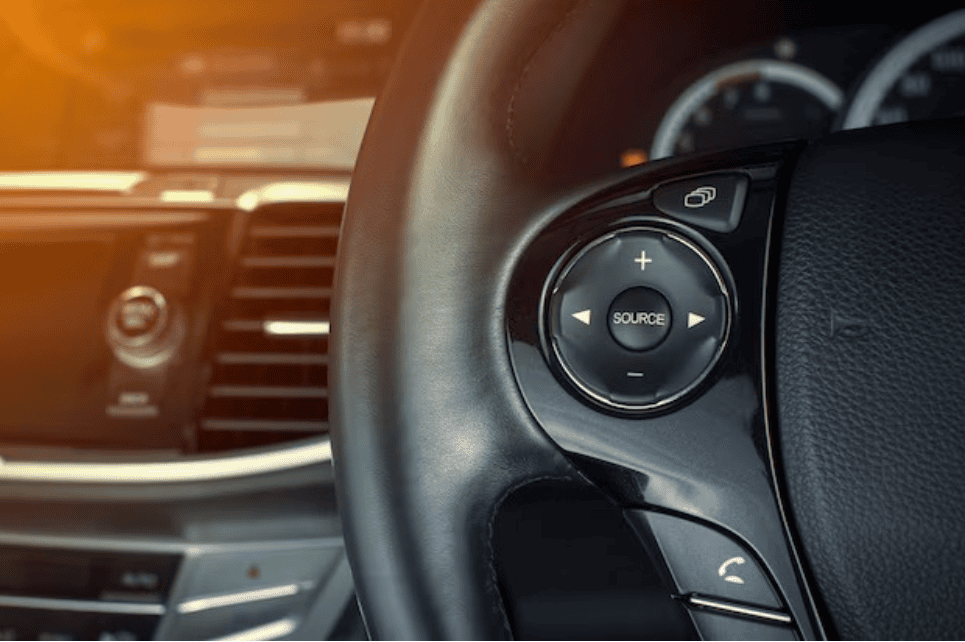
A vehicle's steering wheel is no longer just a tool for turning the car. In most modern vehicles, you will find a wide array of "Multi-function buttons" right on the steering wheel. Having a proper understanding of these buttons not only makes driving much easier but is also crucial for your safety. Today, let's explore what these buttons are and the functions they perform.
Why Were These Buttons Introduced?
In older vehicles, if the driver wanted to turn up the radio volume or adjust a setting, they had to take their eyes off the road and look at the dashboard. This was a major cause of accidents. Therefore, these buttons were designed so the driver can control various vehicle accessories while keeping their hands on the steering wheel and their eyes firmly focused on the road. Technically, this is known as the "Hands-on-wheel" concept.
Audio Control Buttons
Usually, these buttons are predominantly found on the left side of the steering wheel. Here, you can primarily control several audio functions:
- Volume Up/Down (+/-): Increase or decrease the volume of a song or the radio.
- Seek/Track Skip: Skip to the next song or go back to the previous one. If listening to the radio, it switches to the next channel.
- Mode/Source: This button helps you switch between the radio, Bluetooth, or USB inputs.
- Mute: If you need to completely silence the audio instantly, you can use this button.
Bluetooth and Voice Command
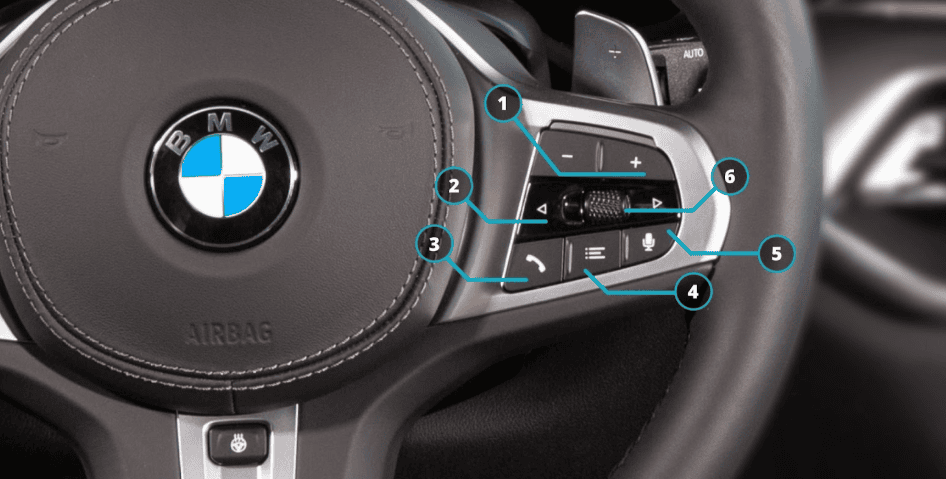
Holding a phone while driving is both illegal and highly dangerous. Because of this, buttons to manage phone calls have been integrated directly into the steering wheel.
- Call Answer/End: There are buttons, usually marked with green and red icons, to accept or disconnect an incoming call.
- Voice Assistant: This is an incredibly valuable button. Pressing it allows you to give voice commands to the vehicle (for example, saying "Call Nimal" will automatically initiate the call).
Cruise Control System
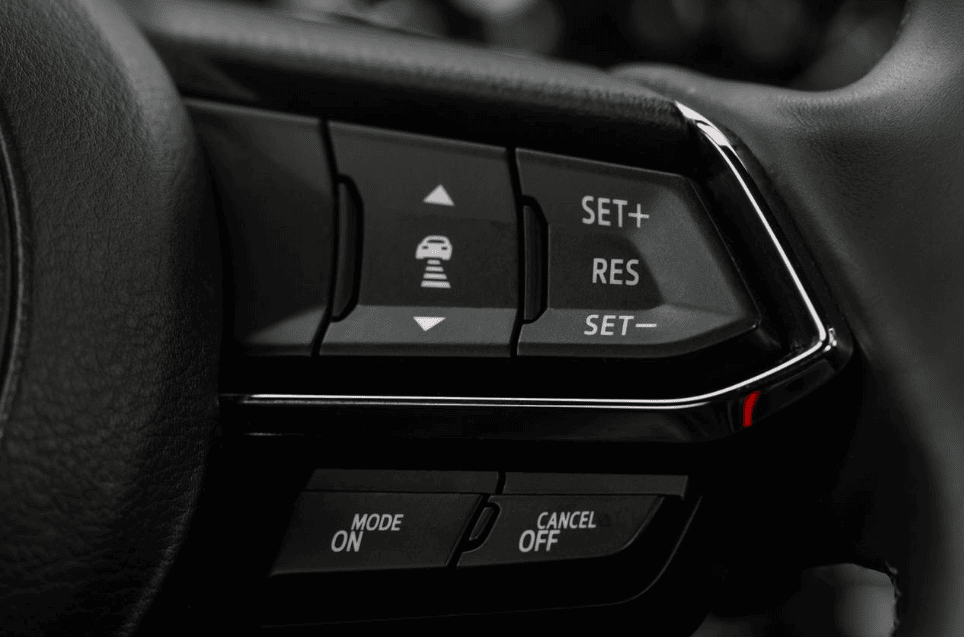
When traveling long distances, especially on expressways, this system provides immense convenience. Typically, these buttons are located on the right side of the steering wheel.
- Set/Coast: Once you reach your desired speed, pressing this button allows the vehicle to maintain that speed without you having to press the accelerator.
- Res (Resume): Stepping on the brake pedal disengages the Cruise Control. You use this button to return the vehicle to its previously set speed.
- Cancel: Temporarily pauses the system.
- Adaptive Cruise Control: In newer vehicles, there are separate buttons here to adjust the maintaining distance relative to the vehicle ahead of you.
Instrument Cluster / MID Display Controls
The small screen in the center of the vehicle's gauge cluster (Multi-Information Display) is also controlled by steering wheel buttons. By pressing these, you can view details like fuel level, tire pressure, and the vehicle's average fuel economy. Usually, you will see a directional pad (Navigation arrows) pointing in four directions with an 'OK' button in the center.
Paddle Shifters
In some Automatic and Dual-clutch vehicles, there are two small levers located just behind the steering wheel. The right one is marked with a '+' and the left one with a '-'. Using these, the driver can manually shift gears. This is highly beneficial when driving on steep inclines and declines, or when overtaking another vehicle.
How Do These Work Technically?
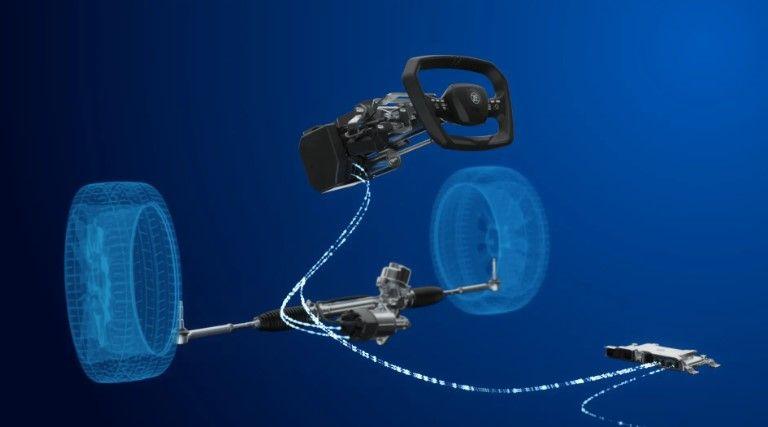
You might be wondering if there is a separate wire running to every single button. If that were the case, the wires would tangle as you turn the steering wheel. To prevent this, a device called a Clock Spring or Spiral Cable is used. It contains a ribbon-like wire system inside that ensures the electrical connection to the buttons remains unbroken, regardless of which way the steering wheel is turned.
If these buttons suddenly stop working, or if the horn fails to sound, it is very often due to a broken Clock Spring. Furthermore, because this system is also connected to the driver's Airbag, extreme caution must be exercised when handling it.
Final Thoughts for the Driver
Getting used to these buttons might be a bit difficult in the first few days. However, once you are accustomed to them, being able to change a song or take a call without taking your eyes off the road provides a massive level of convenience for the driver. Always remember, every one of these buttons has been designed for your comfort as well as your safety.

எழுதியவர்
Nisaga Sandaru
A versatile and highly experienced professional, currently an Automobile undergraduate at the University of Jaffna, with strong technical expertise grounded in hands-on work as a technician with SriLankan Airlines Ground Support Equipment (GSE). Holding an Automobile NVQ Level 3 qualification, along with specialized certifications in Vehicle ECU Programming and Diagnosis, and extensive experience in arc welding and vehicle body painting, and well equipped to handle complex automotive, diagnostic, and fabrication-related tasks with a high level of competence.